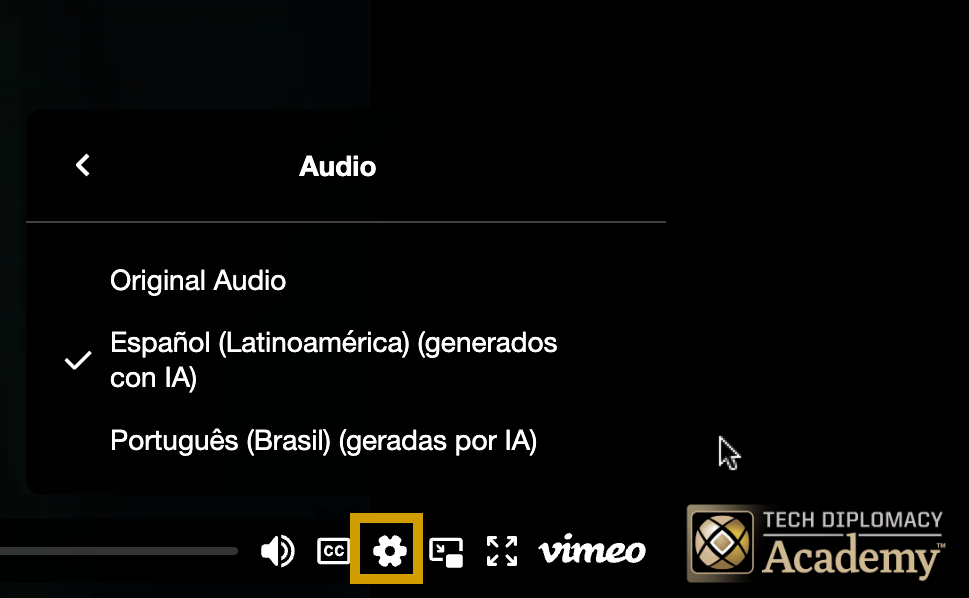
All course videos on our platform include subtitles and audio dubbing in Spanish and Portuguese. Subtitles are provided to support accessibility, comprehension, and learning in a global context.
Please note: Audio dubbing and subtitles need to be adjusted for each video you watch. Changing the language in one video won’t automatically apply to the next.
You can turn subtitles on or off at any time using the  CC (Closed Captions) feature in the video player.
You can turn on audio dubbing at any time using the  (settings) feature in the video player.
- Locate the (settings) button next to the “CC” button of the video player controls
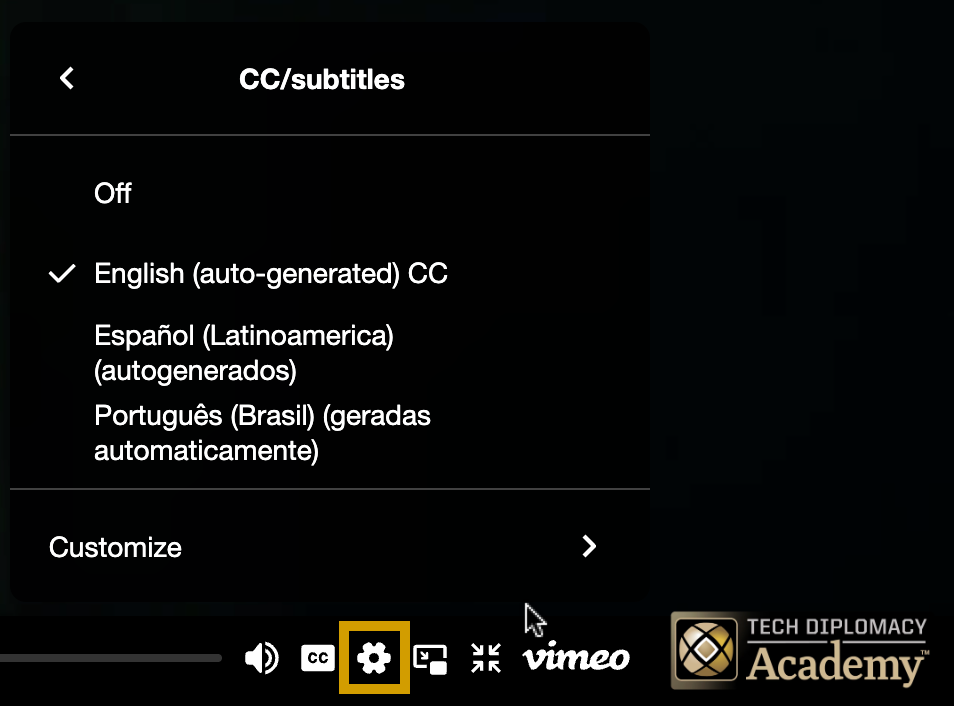
- Click the button to open the captions menu.
- Select your language (Spanish or Portuguese) from the list.
- Subtitles will appear immediately and can be changed or turned off at any time.
- If subtitles do not display when you start playing the video, click on the “CC” button of the video player controls
- Locate the (settings) button next to the “CC” button of the video player controls
- Click the button to open the audio menu.
- Select audio, and the language (Spanish or Portuguese) from the list.
- Audio dubbing will begin immediately and can be turned off at anytime.
- Audio dubbing can be changed or turned off at any time.